
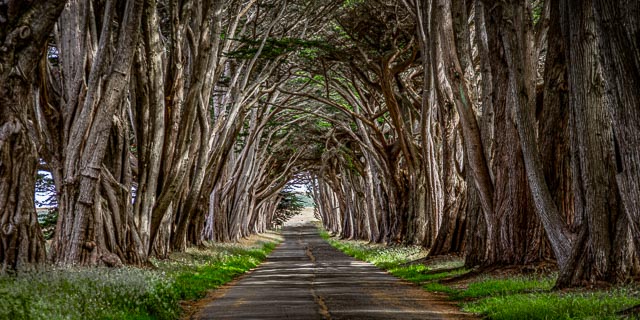
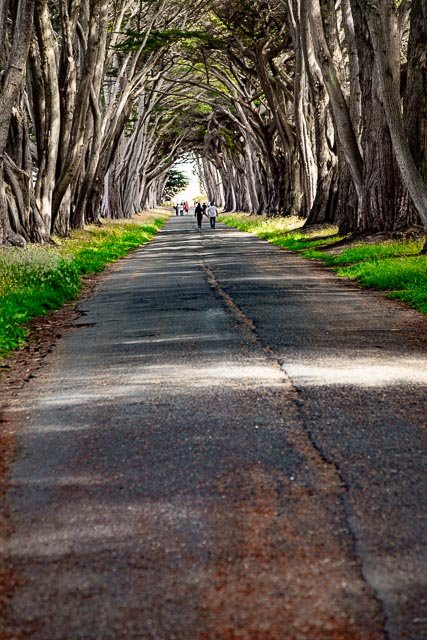
Cypress Tree Tunnel Point Reyes National Seashore

The Monterey cypress that now create the “tree tunnel” at the Point Reyes Receiving Station is a signature landscape feature that evokes some of the prestige that RCA placed in this profitable, historic operation. The Cypress Tree Tunnel was planted around 1930.
The Historic KPH Maritime Radio Receiving Station
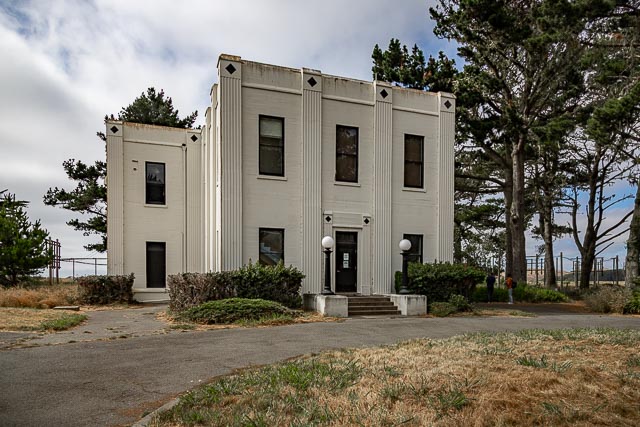
Guglielmo Marconi sited and commissioned the building of a wireless telegraphy transmitting station west of Bolinas and a receiving station in Marshall on Tomales Bay in 1913–14. The Marshall station was supplanted in 1929 to support the growing point-to-point business in the Pacific by a new Art Deco-designed facility at Point Reyes Beach on the “G” Ranch. Few of the succeeding generations of antennas—arranged in “farms”—remain at the two sites. However, the radio equipment, ship-to-shore Morse communications, and teletype—some of it dating to the World War II-era—remains intact, has been restored and made functional, and is used to broadcast on numerous frequencies, including KPH.
The Receiving Station and “Tree Tunnel” are located at what is now the park’s North District Operations Center.
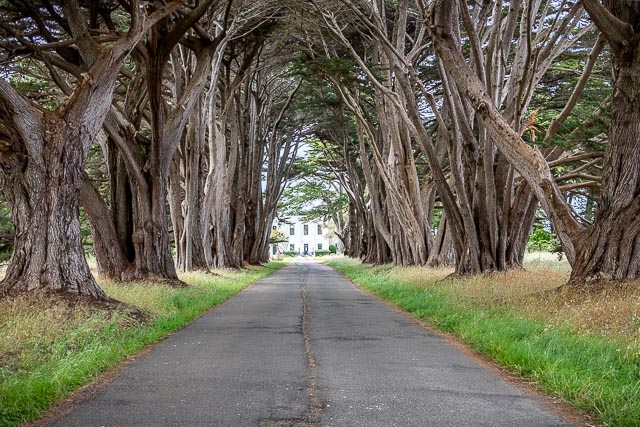
What to Photograph
The fabulous Monterey Cypress tree tunnel and the Art Deco Historic RCA Coast Station KPH.
Where it is:
The tree tunnel is located in the Point Reyes National Seashore on Sir Francis Drake Boulevard (the main road through the park) about halfway between the Bear Valley Visitor Center and the Lighthouse. Just look for the trees, they are the only ones around.
Directions from the Bear Valley Visitor Center to the North District Operation Center and Historic RCA Coast Station KPH
Allow ~25 minutes.
- From the Bear Valley Visitor Center, head north 0.2 miles (0.3 km) to Bear Valley Road.
- Turn left and follow Bear Valley Road 1.75 miles (2.8 km) northwest to Sir Francis Drake Boulevard.
- Turn left and follow Sir Francis Drake Boulevard 9.5 miles (15.2 km) north and west.
- Follow road signs for “Lighthouse” until you see a sign for “North District Operation Center.”
- Turn right and follow the road 0.25 miles (0.4 km) north to the parking lot.
Maps:
Interactive Google Map
Use the map + – controls to zoom in and out, click and drag the to move the map, use the Map drop-down to change to “Map”, “Satellite”, “Hybrid”, or “Terrain” buy antibiotics malaysia views. Drag the little man icon from the upper left corner to a map location for street level view.
GPS:
38°5’43.114″ N 122°56’49.236″ W
Hours:
There are no hours for this location it is accessible 24 hours a day.
Cost:
No Entrance Fee is Charged at Point Reyes National Seashore
Drone Policy:
Remote controlled aircraft (both motorized and gliders) are prohibited due to potential disturbance to visitors and wildlife.
Location Contact Information:
Cypress Tree Tunnel Point Reyes National Seashore Photo Gallery
Click Here for full page gallery
More Photographic Destinations in California:
Interactive Google Map
Use the map + – controls to zoom in and out, use the Map drop-down to change to “Map”, “Satellite”, “Hybrid”, or “Terrain” views. Drag the little man icon from the upper left corner to a map location for street level view. Click on a pushpin for more information about the Photographic Destination, then click on the title to go to the location page.
Click Here for Photographic Destinations by State